How to Choose the Right Desk Size for Two Monitors?

Time:2026-06-19 Author:Madeline
0%

When setting up a workspace, the choice of desk size is crucial. Many professionals rely on dual monitors for productivity. However, the question arises: How to choose the right desk size for two monitors? Selecting an appropriate desk can significantly affect your workflow and comfort.

A desk that is too small can lead to clutter and frustration. On the other hand, a desk that is excessively large may waste space and resources. It is essential to measure your monitors and consider their arrangement. This ensures they fit comfortably, without feeling cramped.

Don't overlook the importance of ergonomics. The right desk height makes a difference in your posture. You may need to adjust your chair and monitor height to align correctly. Reflecting on these aspects can help create a workspace that promotes efficiency and health. Thoughtful decisions today lay the groundwork for a productive tomorrow.
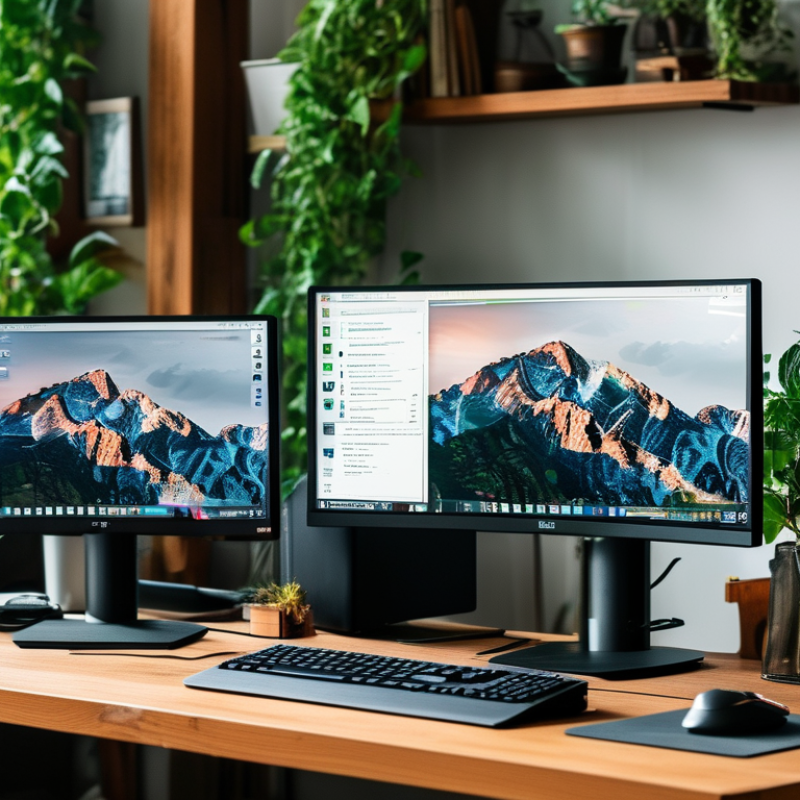
How to Choose the Right Desk Size for Two Monitors?

Understanding Monitor Sizes and Their Dimensions

When selecting a desk for two monitors, understanding monitor sizes is crucial. Monitors typically come in various sizes, ranging from 24 inches to 32 inches or larger. The diagonal measurement can affect your workspace significantly. A 27-inch display offers a good balance between viewing area and desk space. Meanwhile, larger screens can provide more detailed graphics but may crowd your workspace.

Monitor dimensions also include width and height. A standard 24-inch monitor is about 21 inches wide and 15 inches tall. Make sure to account for the width of both screens when choosing a desk. It's wise to leave extra space for your keyboard and mouse. You don’t want your setup to feel cramped, especially if you intend to use it for long hours.

It can be tempting to go for the biggest monitors available. However, larger monitors can create a strain on your eyes if they are placed too close together. Finding the right balance is vital. Reflecting on your work habits will lead to a better setup. Think about how you use your screens daily. This reflection will help ensure an efficient workstation that suits your needs.

Determining the Space Requirement for Dual Monitors

Choosing the right desk size for dual monitors requires careful consideration of your workspace. Start by measuring the space available in your home or office. You need adequate surface area to fit both monitors without feeling cramped. Typically, a desk width of at least 60 inches is recommended for two standard-sized monitors. However, if you prefer larger screens, you'll need to adjust the size accordingly.

Think about your comfort and ergonomics as well. The monitors should be positioned at eye level and about an arm's length away for optimal viewing. This arrangement reduces neck strain. Additionally, consider the depth of your desk. A depth of 30 inches allows enough room for your keyboard and mouse, along with your monitors.

You might encounter challenges when organizing your cables too. Without proper cable management, your workspace can become cluttered. This is not ideal for productivity. A well-organized space improves focus and efficiency. Reflect on your needs. Do you use extra equipment? That can change your desk requirements significantly. Always ensure your desk can adapt to your changing workspace needs.

How to Choose the Right Desk Size for Two Monitors?

Evaluating Desk Width and Depth for Optimal Setup

When setting up your workspace with two monitors, desk width and depth are critical. A minimum desk width of 60 inches is recommended to accommodate two monitors comfortably. This allows sufficient space for additional peripherals, like a keyboard and mouse. A desk depth of at least 24 inches ensures that you have enough room to position the monitors at a safe viewing distance, reducing neck strain and eye fatigue, as highlighted by the Human Factors and Ergonomics Society.

Tips: Consider your monitor size. For monitors taller than 24 inches, a deeper desk is advisable. This helps to maintain optimal viewing angles and comfort. Also, adjust the monitors at eye level, ideally 20 to 30 inches away from your eyes, for the best ergonomic benefits.

There's no universal solution. Some people prefer a tighter workspace, while others need more room. Evaluate your preferences for clutter and organization. If you often use reference materials, think about incorporating shelves. The right desk size varies based on individual needs and work styles. Always be open to re-evaluating your setup as your work evolves.

Considering Standing vs. Sitting Desks for Monitor Arrangement

When considering the arrangement of two monitors, the choice between a standing and sitting desk can significantly impact comfort and productivity. Standing desks offer flexibility, enabling you to switch between sitting and standing throughout the day. This can help reduce fatigue and improve energy levels. However, using a standing desk requires attention to ergonomics. Ensure the monitors are at eye level to avoid neck strain. Your feet should be flat on the ground, or you should use a footrest to distribute weight evenly.

On the other hand, sitting desks provide stability for tasks that require prolonged focus. However, long hours in a seated position can lead to discomfort. It’s crucial to adjust your chair height for optimal posture while using dual monitors. Both setups can potentially lead to clutter, especially with multiple cables or accessories. Reflecting on your workflow can aid in determining which style suits you best. Monitor size and desk space are equally essential factors. A cluttered workspace can hinder productivity, regardless of the desk type. Balancing personal comfort with workspace efficiency remains a key consideration.

Assessing Additional Accessories and Cable Management Needs

When setting up a workspace for two monitors, assessing accessories and cable management is crucial. Additional items, such as laptop stands, speakers, or extra lighting, can enhance your productivity. However, each accessory takes up valuable space. Ensuring your desk can accommodate these extras without feeling cramped is essential.

Cable management often becomes overlooked. Cables can create clutter, diminishing your workspace's aesthetics and your focus. Consider using cable clips or sleeves to keep cords organized. These small tools can significantly reduce visual chaos. An untidy workspace can lead to distractions, affecting your efficiency.

Evaluate if your desk surface supports these accessories without becoming overcrowded. Leave some room for potential future additions. A well-planned setup is more inviting and functional. Reflect on your needs and how each item contributes to your space. Proper planning leads to a better working environment.

How to Choose the Right Desk Size for Two Monitors? - Assessing Additional Accessories and Cable Management Needs

Desk Width (inches) Desk Depth (inches) Ideal Monitor Size (inches) Additional Accessories Cable Management Options
60 30 24 Monitor Stand, Keyboard Tray Cable Clips, Cable Sleeves
66 32 27 Desk Organizer, USB Hub Under-desk Trays, Cable Ties
72 30 32 Monitor Arms, Document Holder Cable Management Box, Velcro Straps
48 24 22 Laptop Stand, Mouse Pad Clip-on Cable Organizers, Grommet Holes

FAQS

: What is the recommended minimum desk width for a dual monitor setup?

: A minimum desk width of 60 inches is suggested for comfort.

Why is desk depth important in a workspace?

Desk depth of at least 24 inches allows safe monitor positioning, reducing strain.

How does monitor size affect desk setup?

Taller monitors may require deeper desks to maintain optimal viewing angles.

What is the ideal distance between monitors and eyes?

Monitors should be positioned 20 to 30 inches away for ergonomic benefits.

How can I manage space with additional accessories?

Assess your accessories and ensure there’s enough space to avoid crowding.

Why is cable management important in a workspace?

Good cable management reduces clutter and helps maintain focus and aesthetics.

Can I adjust my setup over time?

Absolutely! Re-evaluate your workspace as your needs and work style evolve.

How can additional items enhance productivity?

Accessories like stands or lighting can boost efficiency but may take up space.

What tools can help keep workspace cables organized?

Consider using cable clips or sleeves to manage cords and reduce chaos.

What should I reflect on when planning my workspace?

Think about how each accessory contributes to your workspace and overall functionality.

Conclusion

When considering how to choose the right desk size for two monitors, it is essential to understand various monitor sizes and their dimensions to ensure a comfortable and efficient workspace. Begin by determining the required space for your dual monitors, taking into account their combined size and how much surface area they occupy. Evaluating the desk's width and depth is crucial to creating an optimal setup that allows for ergonomic usage and adequate distance between the screens.

Additionally, consider whether a standing or sitting desk best fits your needs and how it affects the arrangement of your monitors. Don’t forget to assess any additional accessories you may need, such as monitor stands or arms, and plan for effective cable management to keep your workspace tidy. Overall, keeping these factors in mind will help you create a functional and organized environment tailored for dual monitor use.

Madeline

Madeline

Madeline is a dedicated marketing professional with a wealth of expertise in our company's core offerings. With a keen understanding of the industry, she brings a unique perspective to her role, consistently delivering high-quality content that highlights the superior aspects of our products. As......